
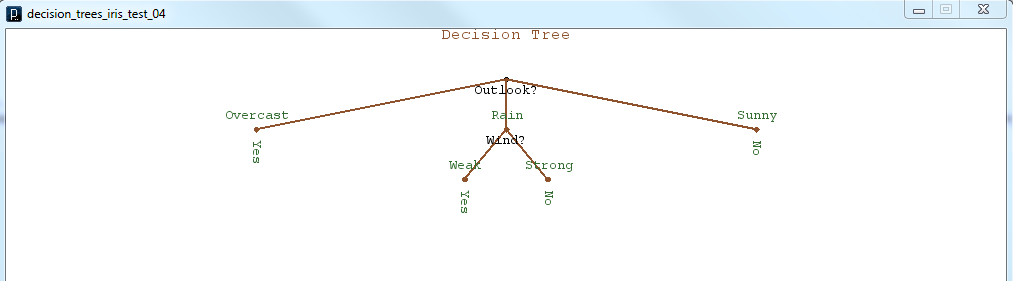
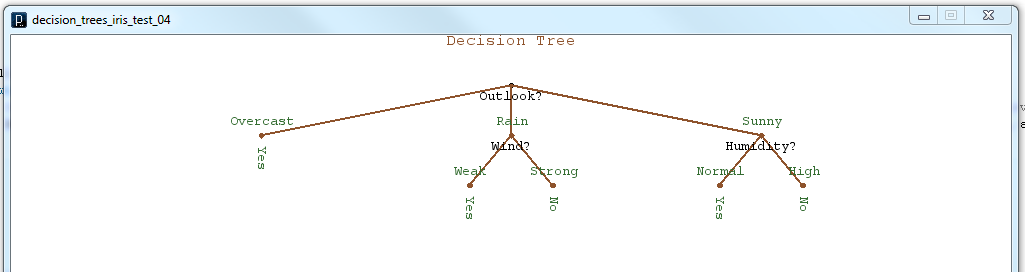
As I’ve continued to work towards making my decision tree program capable of auto-generating Arduino code, I’ve realized that it would be helpful to get a visual sense of what the decision tree structure looks like. By producing some graphical representation of the decision tree I thought I would get a better understanding of how I would generate the program control structure, and where in my program to generate the if/else branches. I have learned a couple of things, first that it is difficult for a recursive structure to keep track of where in the structure it currently is, and also that Processing is very adept at making simple graphical output. In summary, I was able to use the pushMatrix() and popMatrix() functions, which are part of Processing, to save my current coordinate system on a stack before each recursive branch. This would allow each branch to behave identically to the larger tree. Also I used a very clever, at least I think it’s clever, method of storing my current node location in terms of the level number, and the branch number. This allows the tree to make decisions about how to represent and space the branches on a given node given the depth and number of other nodes at that level. Here are a couple of teaser images of the graphical output.
 Now that I have some basic (very basic) graphical output to represent the tree structure, I should be ready to begin the process of using the graphical tree structure to create actual Arduino code.
 Spicer Robot Boy